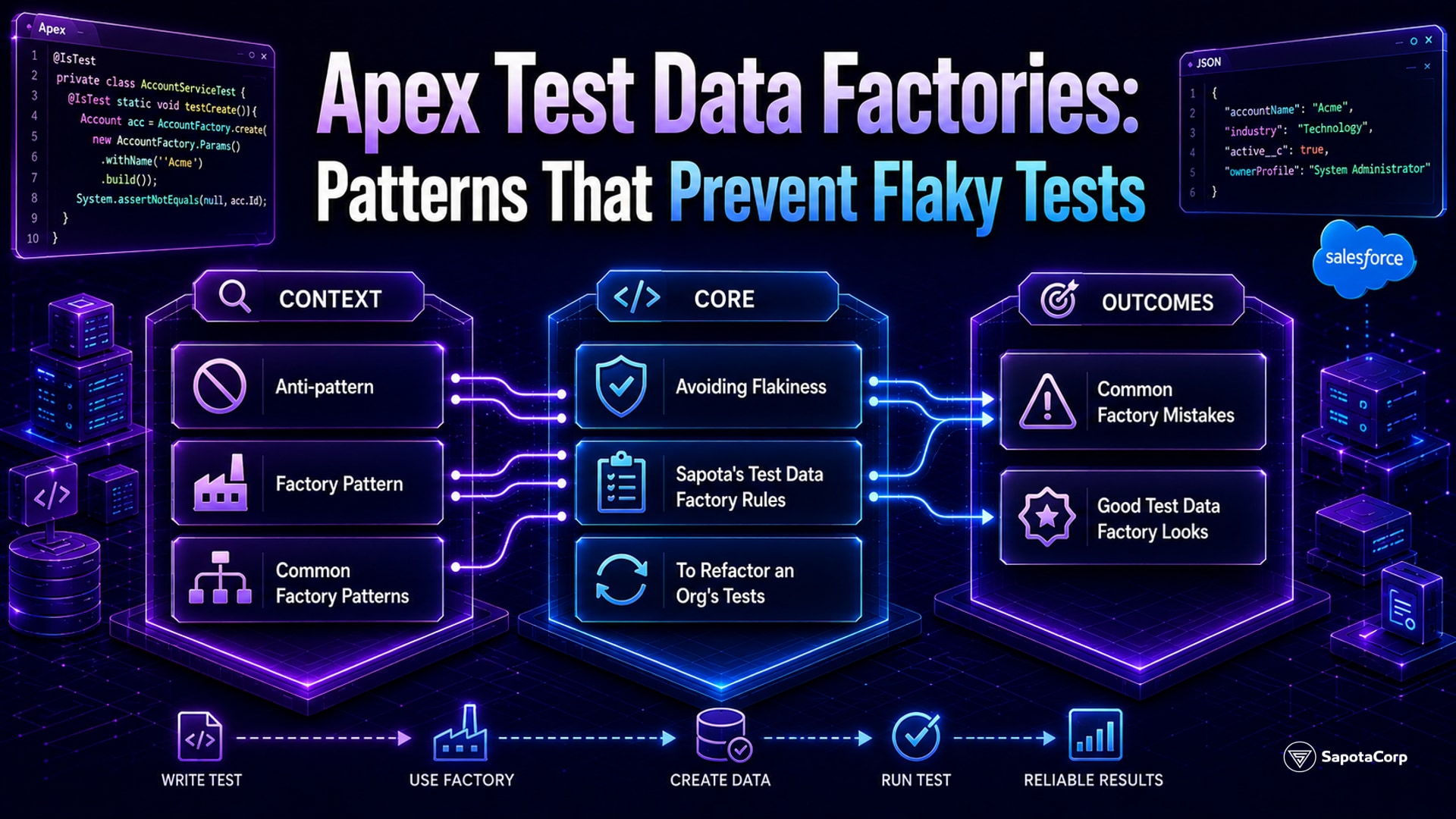
Every Apex test class needs to create its own test data. The platform's @isTest annotation isolates tests from existing org data, which means every test starts with an empty database and must build the records it needs from scratch.
Done badly, this produces three failure modes that compound:
- Test setup duplicated everywhere. The same 20 lines of "create an Account, create a Contact, create an Opportunity" code copies across 200 test classes. A field becomes required, a hundred tests break.
- Tests that pass in one sandbox and fail in another. Different sandbox refreshes have different validation rules, different required fields, different sharing models. Tests that worked yesterday fail today.
- Flaky tests due to data interdependence. A test creates 10 records, fails halfway, leaves the org in a state that interferes with later tests in the same class.
The fix is a test data factory: a centralized class that creates the records each test needs, with sensible defaults and easy overrides.
The anti-pattern
What ad-hoc test data setup looks like:
@isTest
public class AccountTriggerTest {
  @isTest
  static void testAccountCreation() {
    Account a = new Account(
      Name = 'Test Account',
      BillingCountry = 'US',
      Industry = 'Technology',
      Type = 'Customer'
    );
    insert a;
    // ... assertions ...
  }

  @isTest
  static void testAccountUpdate() {
    Account a = new Account(
      Name = 'Test Account 2',
      BillingCountry = 'US',
      Industry = 'Technology',
      Type = 'Customer'
    );
    insert a;
    // ... update logic, assertions ...
  }
}
The same 6-line setup is duplicated. Now imagine 200 test classes. A validation rule is added that requires Description to be populated. Every test fails. The fix is a 200-file refactor.
The factory pattern
A test data factory class centralizes the creation:
@isTest
public class TestDataFactory {
  public static Account makeAccount() {
    return makeAccount(new Map<String, Object>());
  }

  public static Account makeAccount(Map<String, Object> overrides) {
    Account a = new Account(
      Name = 'Test Account',
      BillingCountry = 'US',
      Industry = 'Technology',
      Type = 'Customer',
      Description = 'Default test description' // covers later validation
    );
    for (String field : overrides.keySet()) {
      a.put(field, overrides.get(field));
    }
    return a;
  }

  public static Account createAccount() {
    Account a = makeAccount();
    insert a;
    return a;
  }

  public static Account createAccount(Map<String, Object> overrides) {
    Account a = makeAccount(overrides);
    insert a;
    return a;
  }
}
Two convenience layers:
make... returns the unsaved record with defaults plus overrides applied. Used when the test needs to manipulate further before insert.create... builds, inserts, and returns. Used for the common case.
Tests become:
@isTest
static void testAccountCreation() {
  Account a = TestDataFactory.createAccount();
  // ... assertions ...
}

@isTest
static void testCustomAccount() {
  Account a = TestDataFactory.createAccount(
    new Map<String, Object>{'Industry' => 'Healthcare'}
  );
  // ... assertions ...
}
When a new required field appears, the fix is one line in the factory. Every test still passes.
Common factory patterns
Patterns that recur in mature factories:
Related-object setup. Many tests need an Account, a Contact, and an Opportunity together. The factory exposes a method that creates the whole graph:
public class TestDataFactory {
  public class AccountWithRelations {
    public Account account;
    public Contact contact;
    public Opportunity opportunity;
  }

  public static AccountWithRelations createAccountWithRelations() {
    AccountWithRelations result = new AccountWithRelations();
    result.account = createAccount();
    result.contact = createContact(
      new Map<String, Object>{'AccountId' => result.account.Id}
    );
    result.opportunity = createOpportunity(
      new Map<String, Object>{'AccountId' => result.account.Id}
    );
    return result;
  }
}
Bulk creation. Tests that exercise bulkification need many records:
public static List<Account> createAccounts(Integer count) {
  List<Account> accounts = new List<Account>();
  for (Integer i = 0; i < count; i++) {
    accounts.add(makeAccount(
      new Map<String, Object>{'Name' => 'Test ' + i}
    ));
  }
  insert accounts;
  return accounts;
}

// In a test:
List<Account> accounts = TestDataFactory.createAccounts(200);
User creation with profiles. Tests that exercise sharing or permission logic need users with specific profiles:
public static User createStandardUser() {
  Profile p = [SELECT Id FROM Profile WHERE Name = 'Standard User'];
  User u = new User(
    FirstName = 'Test',
    LastName = 'User',
    Email = 'testuser+' + System.now().getTime() + '@example.com',
    Username = 'testuser+' + System.now().getTime() + '@example.com.test',
    Alias = 'tuser',
    ProfileId = p.Id,
    TimeZoneSidKey = 'America/Los_Angeles',
    LocaleSidKey = 'en_US',
    EmailEncodingKey = 'UTF-8',
    LanguageLocaleKey = 'en_US'
  );
  insert u;
  return u;
}
Unique usernames and emails (with timestamps) prevent collisions across test runs.
Avoiding flakiness
Three sources of test flakiness that factory design helps with:
1. Validation rules and required fields. The factory's defaults must cover all required fields and pass all validation rules at the time of insertion. When validation rules change, the factory changes once.
2. Sharing model interactions. Tests that run as different users hit different sharing rules. Use System.runAs(user) blocks to isolate. The factory creates the test users; the test invokes runAs.
3. Trigger side effects. A trigger that fires on the test data may produce unexpected secondary records. The factory should document what triggers fire. Tests that need to bypass trigger effects use either @isTest(SeeAllData=false) (default) or custom switches the trigger respects.
Sapota's test data factory rules
The patterns that ship reliably:
One factory class per major domain. A single TestDataFactory for everything works at small scale but bloats at large scale. Split by domain: AccountTestFactory, OpportunityTestFactory, CaseTestFactory. Each has its own methods.
Defaults that pass current rules. Test factory defaults are reviewed quarterly against current validation rules and required fields. Drift caught early.
Overrides via Map<String, Object>. Sentinel-free overrides. Any field name as the key, any value. The factory uses put() to apply. Easier than method signatures with named parameters for every field.
Bulk creation methods alongside single-record. createAccount() and createAccounts(Integer). Tests that exercise bulkification need the bulk variant.
Document the trigger expectations. A comment on each factory method noting which triggers fire and which secondary records may appear. Helps debugging.
Test the factory. Yes, the factory itself has tests. Each method is exercised once with default values, once with overrides. The factory's correctness is the foundation of every other test's correctness.
When to refactor an org's tests
Most Salesforce orgs reach a tipping point where ad-hoc test data setup becomes painful: a validation rule is added, 50 tests break, the engineering team spends 2 days fixing them. That is the signal to introduce a factory.
The migration:
- Build the factory for the most-touched objects first (typically Account, Contact, Opportunity).
- New tests use the factory exclusively.
- Refactor existing tests opportunistically when they need editing for other reasons.
- Do not refactor everything in one big bang; the value comes from gradual conversion.
A mature org has 90%+ of its tests using the factory after 6-12 months. Full conversion is a long tail; some legacy tests stay ad-hoc until their next major refactor.
Common factory mistakes
Five patterns Sapota has seen:
- Factory becomes its own god class. One factory file with 100 methods touching every object. Split by domain.
- Defaults that fail current validation. Factory created before a new required field was added. Tests still using the factory pass; tests that don't fail. Sync the factory.
- No bulk variant. Tests cannot easily create 200 records. Bulkification tests cannot be written. Add bulk methods.
- Hardcoded IDs or names. Two factory calls in the same test produce records with the same Name field, hit unique constraints. Use timestamps or counters for uniqueness.
- Factory queries
Profile or RecordType repeatedly. Each query is a SOQL. A test that creates 10 records via the factory hits the 100-query limit. Cache lookups in static variables.
What good test data factory looks like
A Salesforce org with healthy test infrastructure:
- One or more
*TestFactory classes covering all major sObjects.
- Defaults that match current required-field and validation-rule state.
- Override mechanism via
Map<String, Object>.
- Bulk creation variants for trigger and async testing.
- Factory test class verifying defaults and overrides work.
- Quarterly review of factory defaults against current schema.
Sapota's Salesforce team holds the Platform Developer I credential and introduces test data factories on every engagement where ad-hoc test setup is causing maintenance pain. The pattern is straightforward to implement and the operational payoff is large.
Refactoring Apex test infrastructure or introducing test data factories? Sapota's Salesforce team handles test architecture, factory design, and migration on production engagements. Get in touch ->
See our full platform services for the stack we cover.




 Apex Development