Salesforce ships two ways to represent a person in an org. The Business Account model treats Account as a company and Contact as a person at that company, with one Account holding many Contacts. The Person Account model treats Account and Contact as a single merged record that represents one individual.
Financial Services Cloud presumes Person Account is enabled. Every retail-banking, wealth-management, and individual-insurance scenario reaches for it. The catch is that enabling Person Account is irreversible. Once flipped, the switch never turns back off.
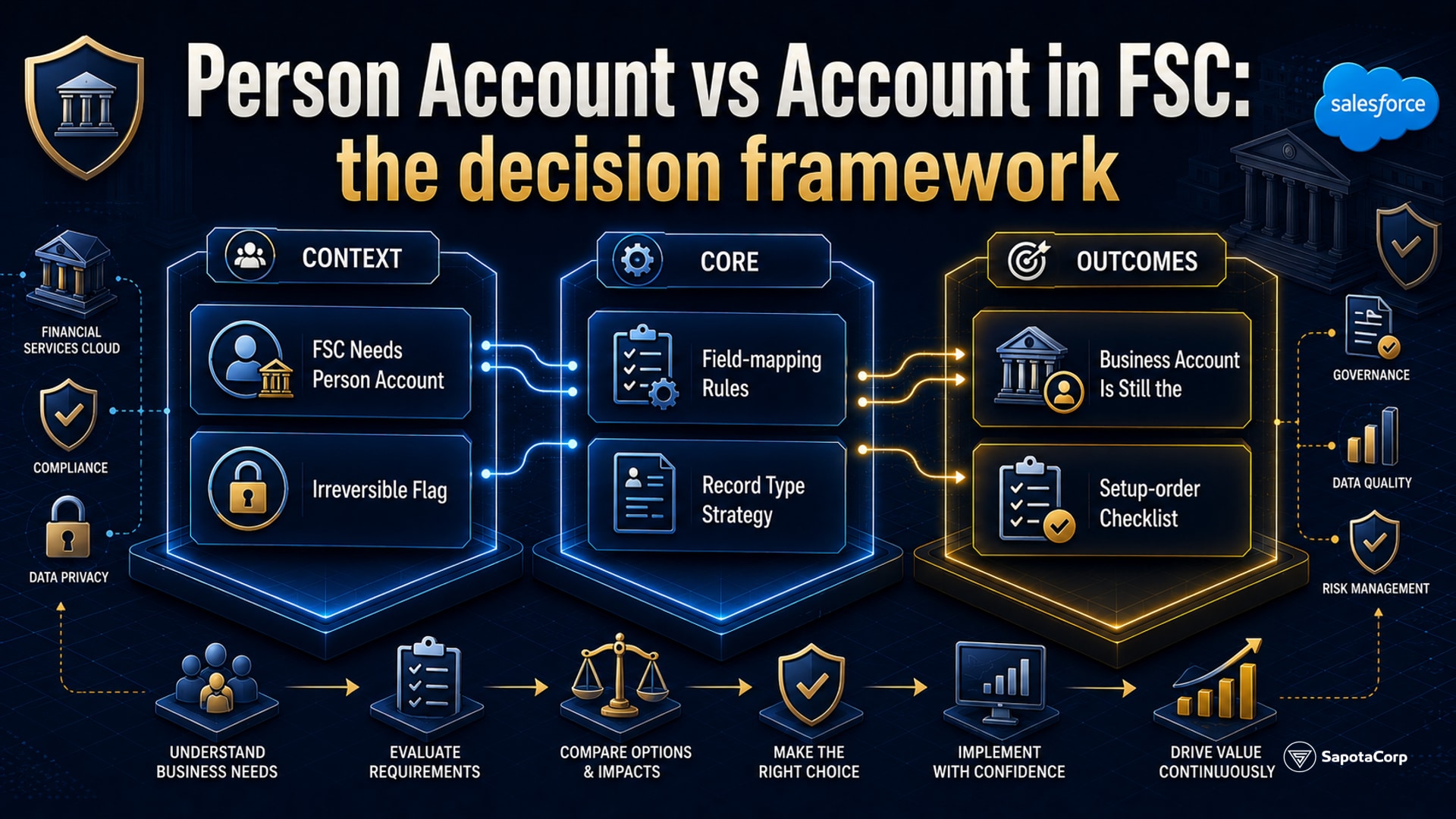
Why FSC needs Person Account
A retail bank has roughly two distinct customer shapes. Individual customers (a retail saver, an HNW investor, a mortgage borrower) are people; they have no company relationship that matters for the financial product. Corporate customers (a treasury team at a manufacturer, the finance department at a property developer) are companies; the people involved are representatives, not the customer.
The vanilla Salesforce B2B model handles corporate customers cleanly. Account holds the company, Contact holds each representative, and the financial product attaches to the Account.
The vanilla model breaks down on individuals. The team has two unappealing options. Option one: create a placeholder Account for each individual, with the individual's name on both Account and Contact records. That doubles the row count, breaks reporting, and creates synchronisation drift the first time someone updates the Contact but not the Account. Option two: create a generic shared Account labelled "Retail Customers" and treat every individual as a Contact under it. That breaks ownership, breaks sharing, and makes financial-account attachment ambiguous.
Person Account is Salesforce's answer. The user-facing experience is one record per individual. Underneath, Salesforce silently maintains a linked Account row and Contact row, both pointing at the same logical person, and lets queries hit either side.
The irreversible flag
Inside Setup, Person Accounts is one click to enable. The warning screen leads with bold red text explaining that the enable cannot be undone, even by Salesforce Support, even with a case opened. The warning is accurate.
After enable, the org permanently supports both record shapes. Every automation, every validation rule, every integration must handle both. Some AppExchange packages do not support Person Account and may need different handling or replacement. Production refresh into a sandbox carries the enabled-state forward; there is no fresh-without-Person-Account sandbox unless the production org has never been flipped.
The implication for teams is simple. Before enabling Person Account, four things must be true:
- The business signs off in writing on the irreversibility.
- A sandbox has been running with Person Account enabled for at least 2 weeks against real-shape test data.
- There is a concrete near-term need (a Wealth, Retail Banking, or Insurance line of business going live), not a speculative "we might need it later".
- Every integration with the org has been audited for Person Account support: core banking syncs, MDM, Marketing Cloud sync, AppExchange packages.
FSC org templates ship with Person Account already enabled. The pre-flip decision still applies the first time the org is created.
The field-mapping rules
Once Person Account is enabled, fields fall into three groups: Person-only fields, Business-only fields, and shared fields. Confusing these is the most common first-time mistake.
Person-only fields are exposed from the linked Contact and use the Person prefix. PersonEmail, PersonMobilePhone, PersonMailingAddress, PersonBirthdate, and PersonHomePhone are the common ones. Setting PersonEmail on a Business Account record returns an error.
Business-only fields are the original Account-object fields that only apply to companies. Industry, AnnualRevenue, NumberOfEmployees, Website, Ticker. Setting these on a Person Account is silently accepted but never displayed because the field never reaches the Person Account page layout.
Shared fields apply to both. Description, OwnerId, RecordTypeId, BillingAddress, ShippingAddress, and any custom field that is not Person-only or Business-only by design. The Name field on a Person Account is auto-populated from FirstName + LastName; on a Business Account it stores the company name directly.
The IsPersonAccount boolean is read-only. Salesforce sets it from the chosen Record Type at creation time. Querying with this flag is the standard way to differentiate the two shapes in SOQL and reports.
Record Type strategy
Person Account and Business Account each appear as a Record Type on the Account object. Most production orgs split each further by line of business. A typical FSC retail bank ends up with 4 to 6 record types: one Person record type per individual line of business, one Business record type per corporate segment.
A reasonable starting layout for a retail bank running FSC:
- Retail Individual (Person Account) for standard retail customers.
- High Net Worth Individual (Person Account) for wealth-management clients.
- Corporate (Business Account) for large enterprise customers.
- SME Business (Business Account) for small-and-medium enterprises.
Each Record Type carries its own page layout, its own validation rules, and its own automation. The line of business owns the page layout; central admin owns the validation rules; integrations are written to address both shapes.
When Business Account is still the right choice
Even inside FSC, not every customer is a Person Account. Three scenarios where Business Account remains the right shape:
Corporate banking. A treasury team buying cash-management products from the bank is a company purchase decision. The relationship hangs on the company; the people are interchangeable.
SME lending. A small business borrowing for working capital is buying as a business entity. The directors and shareholders are Contacts attached to the SME Account, not customers in their own right.
B2B insurance distribution. Group health, group life, and employer-funded plans live as Business Account relationships. The covered individuals appear elsewhere in the data model.
Mixed B2B and B2C books are common. A bank often runs Retail (Person Accounts) and Corporate (Business Accounts) alongside each other on the same org. The Record Type split handles the differentiation; integrations route on IsPersonAccount.
The setup-order checklist
For an org getting ready to enable Person Account:
- Confirm at least one Record Type exists on the Account object (Person Account requires the Record Type system to be active).
- Audit Account-related triggers, flows, validation rules, and process builders for Person Account compatibility.
- Confirm every integration partner (core banking, MDM, Marketing Cloud Connect, custom REST integrations) handles Person Account records correctly.
- Lock the org for a defined sandbox-only window during the flip.
- Run end-to-end tests against the sandbox for at least 2 weeks.
- Get written sign-off from the business sponsor on the irreversibility.
The cost of a careful enable is one or two extra weeks. The cost of a careless enable is permanent, paid out as drift between Account and Contact representations every time a developer forgets one of the two record shapes.
Planning an FSC rollout and weighing Person Account? Sapota's Salesforce team, certified on Financial Services Cloud Accredited Professional (AP-208), runs the pre-flip audit and the Record Type architecture on every FSC engagement. Get in touch ->
See our Salesforce service page for the wider team and certifications.




 B2C Commerce