The customer signed the Quote. The Quote becomes an Order through CPQ's Ordered checkbox flow. The Order should mirror the Quote: same products, same prices, same dates, same terms. In production, the Order comes out wrong often enough that finance has a recurring cleanup process for it.
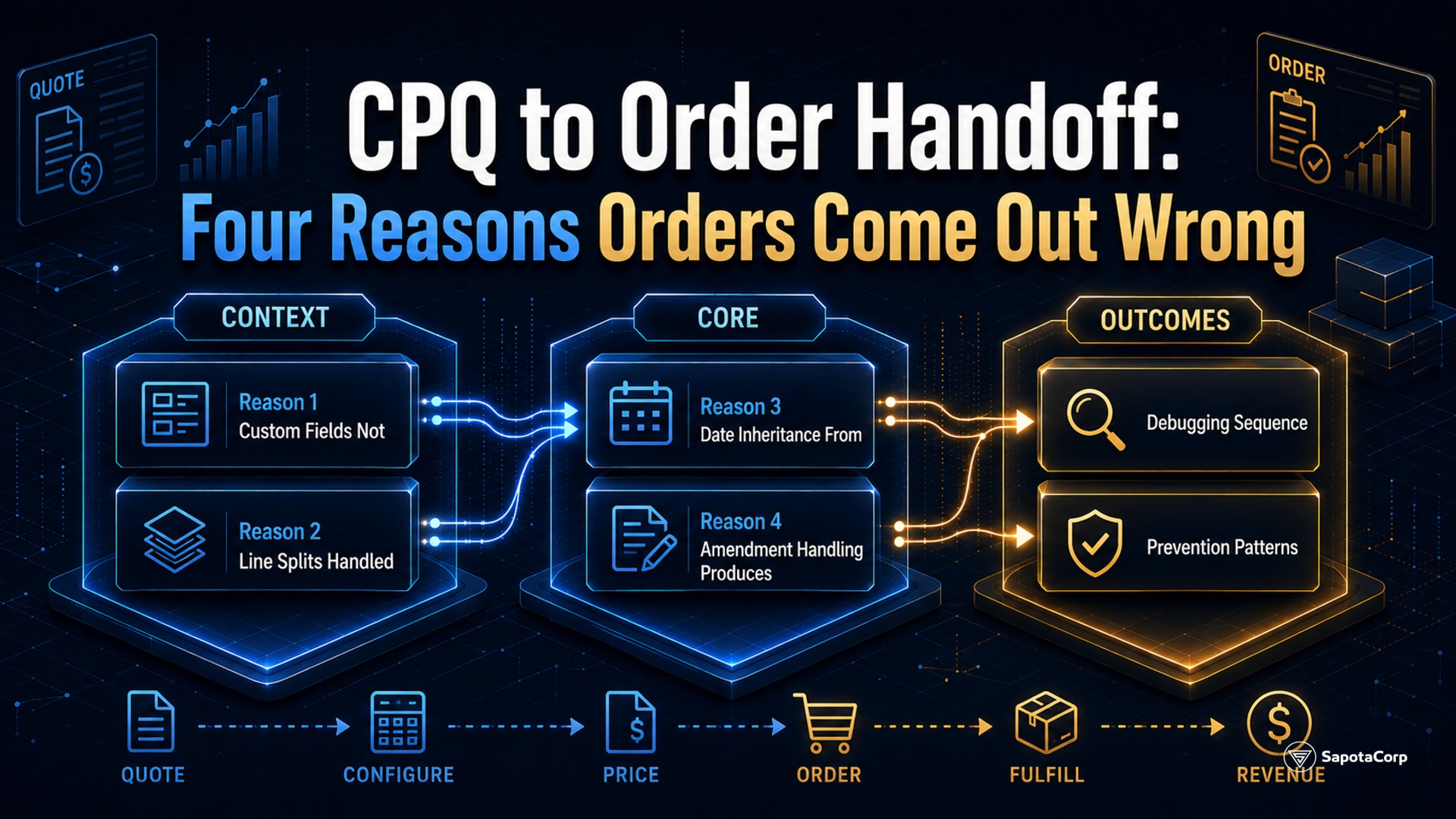
The discrepancies show up in four places: missing custom fields, line splits that did not split right, dates that inherited from the wrong source, and amendment behavior that produces unexpected diffs. Each has a clean fix.
Reason 1: Custom fields not in the order mapping
CPQ Classic and RLM both ship with a default field mapping between Quote and Order. Standard fields like Quantity, Unit Price, and Discount transfer automatically. Custom fields require explicit configuration in Object Manager.
The failure mode: a project adds a custom field to Quote Line (e.g., Customer Contract Reference, Internal Project Code, Special Instructions). The field gets populated on the Quote. The Order is generated. The custom field on Order Line is blank.
The fix: for each custom field on Quote Line, configure the mapping to a corresponding field on Order Product. Same name, same type. The mapping is one-time configuration.
Two practical rules:
- Audit custom field mapping during initial setup, then every time a new custom field is added. The mapping is not automatic; it has to be maintained.
- Naming convention: when a custom field exists on both Quote Line and Order Product, give them the same API name. The mapping configuration is trivial when names match; it gets confusing when they diverge.
Reason 2: Line splits handled wrong
A Quote Line can split into multiple Order Lines. Common reasons:
- The Quote has a 36-month subscription that should bill annually, producing 3 Order Lines.
- The Quote has a bundle that prices as a single line but ships as individual SKUs.
- The Quote has a usage-based line that needs a separate Order Line per usage tier.
CPQ supports configurable line splitting, but the configuration is rarely set up correctly on first attempt. The splits either do not happen (the multi-period subscription becomes a single 36-month Order Line that confuses billing) or happen in unexpected ways (the bundle splits but the prices reapportion oddly).
The fix: define the splitting rules explicitly per product. Use the Quote Line's Subscription Pricing field, the Order Type configuration, and any custom split logic in code. Document the expected output for each product type.
A validation step: pick three representative deals (one with subscriptions, one with bundles, one with usage tiers). Walk each from Quote to Order. Confirm the lines split as expected. If any do not, the splitting rules need adjustment.
Reason 3: Date inheritance from the wrong source
Order Lines have several dates: Service Start Date, Service End Date, Order Activation Date, Required Delivery Date. Each can inherit from a different field on the Quote or Order, and the default inheritance is not always what the business wants.
A typical failure: the Service Start Date on the Order should be when the customer's subscription begins (often a future date when the implementation completes). It accidentally inherits from the Order Activation Date (today, when the Order was generated). The billing engine then generates invoices starting today, which is wrong.
The fix: review and explicitly configure date inheritance for every relevant date field. Service Start Date should usually come from the Quote's Service Start Date or a custom field that the rep populates during quoting. Order Activation Date is system-generated and should not be the source for service-related dates.
Common date inheritance map for a SaaS subscription:
| Order Date Field |
Inherits From |
| Service Start Date |
Quote Line Service Start Date (or custom field) |
| Service End Date |
Service Start Date plus Subscription Term |
| Order Activation Date |
System-generated at order creation |
| Required Delivery Date |
Quote Line Required Date (if applicable) |
Document the map. Test with a sample order. Adjust until correct.
Reason 4: Amendment handling produces unexpected diffs
An Order can be amended after creation: add lines, remove lines, change quantities, change dates. CPQ supports amendments through a structured process. Done correctly, the amended Order reflects the new state and the audit trail shows what changed.
Two common amendment failures:
Amendment overwrites instead of appending. The rep amends an Order to add a new product. The amendment process unintentionally regenerates the entire Order from the original Quote, losing earlier amendments. The new state shows only the latest change.
The fix: configure amendments to preserve prior amendments. Each amendment becomes a versioned record, not a regeneration. RLM handles this more cleanly than CPQ Classic; if frequent amendments are part of the business, this is a reason to prioritize the RLM migration.
Amendment with date misalignment. An amendment to extend a subscription's end date overlaps with the original subscription period. The Order Line ends up showing the customer is on the subscription twice for the overlap window.
The fix: amendments that change dates should explicitly handle the proration and overlap. Use the platform's built-in proration logic where possible; fall back to manual line adjustments when the standard logic does not fit.
A debugging sequence
When Orders are coming out wrong, the diagnostic order:
- Identify the specific discrepancy. Field missing? Lines off? Dates wrong? Amendment issue? Each has a different root cause.
- Compare the original Quote to the resulting Order side by side. The exact diff points to the failure mode.
- Check field mapping configuration for missing field issues.
- Trace the line splitting logic for line count or line content issues.
- Trace date inheritance configuration for date issues.
- Review amendment history for amendment issues.
- Document the fix in the integration runbook so the next occurrence is faster to resolve.
Prevention patterns
A few practices that prevent most of the failure modes:
- Order generation as an explicit testing step during implementation. Build a test suite that generates Orders from sample Quotes and validates field-by-field correctness.
- Field mapping reviewed quarterly as part of regular Salesforce admin work. Custom fields added since the last review should be added to the mapping.
- Documented splitting rules per product type. New product launches require updates to splitting configuration before they go live.
- Date inheritance documented in a runbook that every admin and developer references.
- Amendment training for sales reps. Most amendment issues come from reps using the amendment flow incorrectly. A 15-minute walkthrough prevents most of them.
The CPQ-to-Order handoff is one of the most-touched points in Revenue Cloud and one of the most under-documented. Sapota's Salesforce team treats the handoff as a deliberate workstream with its own test suite, not as a default behavior that "just works."
Debugging CPQ to Order handoff in Salesforce Revenue Cloud? Sapota's Salesforce team holds the Revenue Cloud Consultant credential and handles order management integration on production engagements. Get in touch ->
See our full platform services for the stack we cover.


 Revenue Cloud